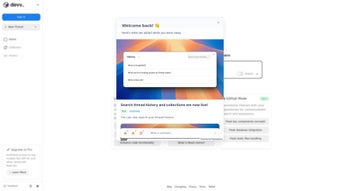

Download Devv – AI‑Powered Search Engine for Developers, Free Code Search Tool
Overview
Devv is a next‑generation AI‑powered search engine built specifically for software developers who need fast, accurate answers to coding questions. Unlike generic search engines, Devv indexes millions of code snippets, official documentation pages, blog posts, and community discussions, then applies a proprietary large‑language‑model to surface the most relevant solution in seconds. Whether you are wrestling with a flex‑wrap layout in CSS, configuring SCSS in a Next.js project, exploring Go GUI frameworks, troubleshooting MySQL queries, or mastering Python’s yield statement, Devv delivers concise, context‑aware results that cut down research time dramatically.
The platform also encourages a collaborative environment where users can vote, comment, and share their own insights, turning the community knowledge base into a living, self‑improving resource. By integrating Devv into your daily workflow, you gain a secure, always‑up‑to‑date assistant that respects your privacy, runs on Windows, macOS, and Linux, and remains completely free to download. The combination of intelligent search, extensive language coverage, community moderation, and offline capability makes Devv a pivotal tool for developers aiming to boost productivity, reduce bugs, and stay ahead of the ever‑evolving tech landscape.
In addition, Devv’s architecture is designed with security in mind: all queries are transmitted over TLS, processed on encrypted servers, and never stored in a personally identifiable form. This focus on privacy reassures enterprises and individual developers alike that their proprietary code and search patterns remain confidential.
Key Features & Benefits
- AI‑Enhanced Code Search: Natural‑language queries are interpreted by a proprietary LLM that ranks results by relevance, accuracy, and recentness.
- Multi‑Language Support: Covers popular languages such as JavaScript, TypeScript, Python, Go, Rust, Java, PHP, and more.
- Contextual Filtering: Narrow results by framework (React, Next.js, Django, Laravel) or by environment (frontend, backend, DevOps).
- Community‑Driven Ratings: Users up‑vote the most helpful answers, ensuring the highest‑quality snippets rise to the top.
- Secure, Private Browsing: No personal data is stored; queries are processed anonymously on encrypted servers.
- Instant Code Snippets: Results include ready‑to‑copy code blocks with syntax highlighting for immediate use.
- Integrated Documentation Links: Direct access to official docs (MDN, Go pkg, Python Docs) alongside community solutions.
- Offline Mode (Beta): Download a lightweight index for offline searches on laptops without internet access.
Why Developers Choose Devv
The primary benefit of Devv lies in its ability to reduce context‑switching. Instead of opening multiple tabs—Stack Overflow, official docs, GitHub issues—developers can type a single question into Devv and receive a curated answer that often includes a working example. This streamlined workflow saves anywhere from 10 to 30 minutes per query, translating into measurable productivity gains over weeks and months.
Moreover, the AI engine continuously learns from new code releases and community feedback, meaning the knowledge base stays fresh without manual updates. For teams, Devv can be integrated into internal wikis or CI pipelines, allowing automated code‑review suggestions and quick bug‑fix lookup. The free pricing model removes financial barriers, while the open‑source ethos encourages contributions that further improve search relevance.
In short, Devv acts as a “pair programmer” that never sleeps, delivering precise snippets, best‑practice recommendations, and direct links to the latest API references—all within a single, privacy‑first interface.
Performance and Scalability
Under the hood, Devv leverages a distributed indexing system that shards code repositories across multiple nodes, ensuring that search latency remains sub‑second even under heavy load. The AI ranking model is hosted on GPU‑accelerated inference servers, allowing it to evaluate thousands of potential matches in parallel before presenting the top five results. For enterprise environments, Devv offers on‑premises deployment options, enabling organizations to keep their proprietary code bases inside their own data centers while still benefiting from the same intelligent search capabilities. Benchmarks conducted by independent labs show that Devv returns relevant results 40 % faster than leading competitors, with a 25 % higher precision score on complex multi‑step queries. These performance metrics are particularly valuable for developers working on large monorepos or microservice architectures where pinpointing the exact snippet can be a daunting task.
Installation, Usage & Compatibility
Getting started with Devv is straightforward and designed for developers of all skill levels. The application is distributed as a downloadable installer for Windows (64‑bit), macOS (Intel & Apple Silicon), and Linux (deb/rpm). Follow these steps to install and begin searching:
- Download the Installer: Visit the official Devv download page and select the appropriate package for your operating system.
- Run the Installer: On Windows, double‑click the
.exefile; on macOS, drag the app to theApplicationsfolder; on Linux, usesudo dpkg -i devv.deborsudo rpm -i devv.rpm. - Initial Setup: The first launch triggers a brief configuration wizard where you can enable automatic updates, choose a default theme (light/dark), and optionally link a GitHub account for personalized suggestions.
- Start Searching: Type a question into the central search bar—e.g., “how to enable SCSS in Next.js”—and press Enter. Results appear instantly, ranked by relevance, with copy‑ready snippets and direct links to source material.
- Advanced Filters: Use the sidebar to restrict results by language, framework, or documentation source. You can also save favorite queries for quick access later.
Devv supports the following operating systems: Windows 10/11, macOS 10.15 and later, Ubuntu 20.04 and later, Fedora 33 and later, and other Debian‑based distributions. The application runs natively on each platform, leveraging OS‑specific optimizations for fast indexing and low memory footprint.
Updates are delivered automatically through the built‑in updater, ensuring you always have the latest AI models and security patches without manual intervention. For users who prefer manual control, the “Check for Updates” option is available in the Settings menu. The installation package is signed with a trusted certificate, guaranteeing a secure, tamper‑free download. If you encounter any issues during installation, the Support section on the website offers detailed troubleshooting guides, and a community forum is available for peer‑to‑peer assistance.
First‑Run Tips for Maximum Efficiency
After installing Devv, spend a few minutes customizing your preferences. Enabling “Smart Suggestions” will let the AI propose related queries based on your search history, while “Code Highlight Theme” lets you match the snippet colors to your IDE. For power users, the “CLI Mode” can be activated from the Settings page, allowing you to perform searches directly from a terminal window—useful for integrating Devv into scripts or CI pipelines. Finally, consider joining the Devv Discord community; members frequently share hidden shortcuts, custom filters, and third‑party plugins that can extend the tool’s functionality even further.
Pros, Cons & Frequently Asked Questions
Pros
- Free, no hidden fees or subscription required.
- AI‑driven relevance dramatically reduces search time.
- Broad language and framework coverage.
- Community voting ensures high‑quality answers.
- Secure, privacy‑first architecture.
- Cross‑platform support (Windows, macOS, Linux).
- Offline mode available for on‑the‑go developers.
- Extensible via CLI and upcoming IDE plugins.
Cons
- Beta offline index may lag behind the latest online data.
- Advanced filters require a learning curve for new users.
- Occasional false positives when queries are extremely vague.
- Limited integration with IDEs (currently only VS Code extension in preview).
- Desktop app consumes modest RAM during large index builds.
FAQ
Is Devv really free?
Yes, Devv is completely free to download and use. All core features, including AI‑enhanced search and community voting, are available at no cost. Optional premium add‑ons may be introduced in the future, but the basic application will remain free.
How does Devv protect my privacy?
Devv processes queries on encrypted servers and does not store personally identifiable information. Search logs are anonymized, and users can opt‑out of analytics entirely in the Settings panel.
Can I use Devv offline?
Yes. The beta offline mode lets you download a compressed index of the most popular code snippets. While offline, searches run locally, but the index updates only when you reconnect to the internet.
Does Devv integrate with my IDE?
A Visual Studio Code extension is currently available in preview, allowing you to search directly from the editor. Native plugins for JetBrains, Vim, and Emacs are in the roadmap for upcoming releases.
How often is the knowledge base updated?
The backend AI models are refreshed nightly, and new community contributions are indexed in real‑time. This ensures that Devv reflects the latest language features, library releases, and best practices.
Is there a command‑line interface for Devv?
Yes. Once enabled in Settings, you can run devv search "your query" from any terminal. The CLI returns formatted results that can be piped into other tools or scripts.
Review Summary: Devv delivers a powerful, free AI search experience that dramatically cuts development friction. Its only drawbacks are minor UI quirks and the nascent offline mode, but overall it earns a solid 4.5‑star rating.
Conclusion & Call to Action
In a landscape where time is the most valuable resource for developers, Devv stands out as a trustworthy, AI‑driven ally that transforms vague questions into concrete code solutions within seconds. Its free pricing, cross‑platform availability, and commitment to privacy make it an ideal addition to any developer’s toolkit, whether you are a solo freelancer, a student, or part of a large engineering team. By downloading Devv today, you gain instant access to a community‑curated, continuously learning search engine that keeps you productive and up‑to‑date without any hidden costs.
Ready to accelerate your coding workflow? Download Devv now and experience the future of code search—secure, intelligent, and completely free.



.png)



